

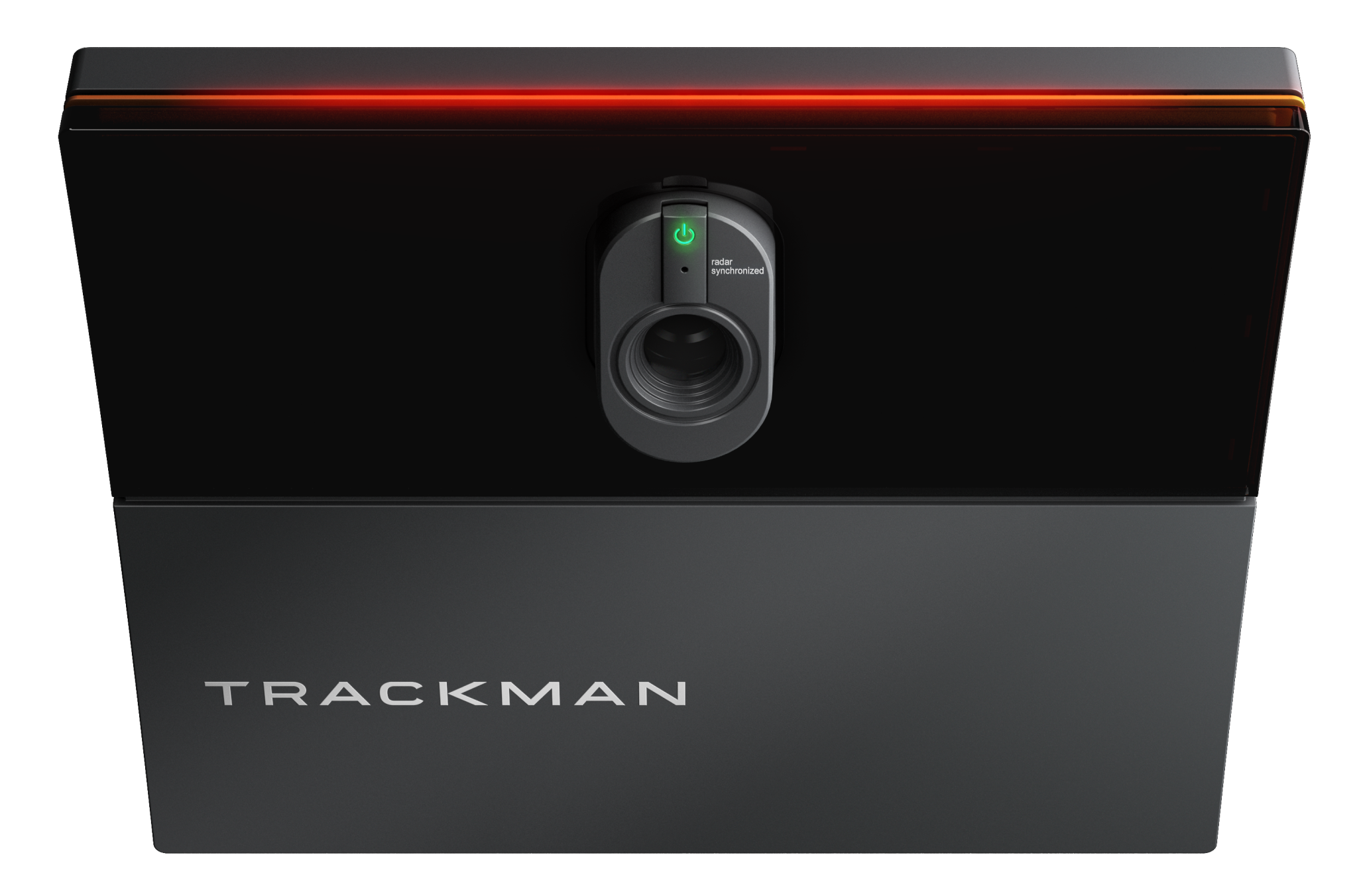
A look through the key component areas when purchasing a Trackman io Golf Simulator
Purchasing a Trackman io Golf simulator can be a daunting task. With so many variable options within a golf simulator now available it’s important to understand each area fully so you can make an informed decision. This guide will take you through each area that we consider important within the golf simulator so you have a full understanding of the full system. At Golf Tech Systems many clients choose to come to our Trackman Showroom in Oxfordshire so they can experience first hand all aspects of a Trackman Golf Simulator
Trackman io – Which version?
Many customers don’t actually realise that Trackman io comes in three different versions. There is Home, Home Complete and Commercial. Whilst all three units are physically the same its a software variation that is the difference. Home is a scaled down version in the software. It eliminates certain data points, features and has a reduced course library. Home complete is the full fat version, so to speak. It has all data parameters, full course library and all practice areas. Many don’t realise you can upgrade from home to home complete by simply paying Trackman to unlock it. This is relative to the cost difference at purchase, so if you’re unsure which to purchase, then starting on the home version can make a lot of sense for many home users. Commercial is technically the same as home complete as far as the software goes. However with commercial you have access to a full suite of business tools on the back end to create tournaments and view full analytics of your hire bays. This a great tool so you can fully understand your revenue stream.
Trackman io – What height?
Did you know that Trackman io actually comes in three versions dependent on your ceiling height? You can purchase Low, Mid or High. Your trackman reseller should be clarifying your trackman io at point of purchase to make sure you have the correct unit for your room. Low has a floor to ceiling height of 270cm – 290cm. Mid is 285cm – 305cm and High is 300cm – 320cm. The measurement needs to be taken from your finished floor/turf to the ceiling that the trackman will be mounted to.
Room width – io duo?
Your room width is an important factor in your simulator build for numerous reasons. We’ll focus purely on the trackman at this stage and later discuss projector aspect ratios. Golf simulator rooms traditionally range from 3 metres wide to around 5.5 metres. 4.5 metres is the minimum size you’d want to look at with a central ball position. That means ball in the middle of the room, will leave a right or left handed player 2.25 metres to the wall behind your back. You’ll normally find the follow through is when you’ll be most conscious of the wall behind you. You do have some movement in the trackman io tracking area to move off centre slightly, but 4.5m is a safe minimum number for most.
If you have a smaller room, say 3.5 metres then the ball position will be off centre in the room. I.e. a right handed player would be hitting into the right side of the impact screen. At this point if you only need the system to work for right handed players then no problem, the trackman io will be positioned off centre inline with that ball position. If you want left handed handed golfers to also play, then you would need to opt for Trackman io duo. That will mean two io devices on the ceiling, both off centre that’s relative to their ball positions. Don’t worry its not double the cost though!
Room Length?
This will depend on a few factors. Some can be adjusted but the following is certainly where we would recommend to be. Impact screen to the rear wall needs 40cm for a safe position. This allows the screen to move freely without risk of the ball hitting the wall. You can go closer but many forget the screen will stretch over time. It’ll be fine on day one but think much later on when you’re hitting bombs into the screen. It’s always better to be safe than sorry. Ball to screen is typically around the 3 – 3.3 metres. This allows the ball to travel to screen at a true flight and safe from bounce back. Most think its a driver that’s the biggest risk of bounce back, however this is not the case. A driver shot will normally kill quickly into the impact screen, it’s wedges that are the bigger problem.
With lower speed and high spin, wedge shots are likely to roll off the impact screen and come back out at you. If you go too close these shots will be landing around shoulder/head height, not something we would recommend. Also the closer you go, the more chance you have with projector shadow as the projector will get a more limited view of the impact screen. Backswing lengths will then vary but 1.8 – 2 metres is normally comfortable. Adding those dimensions together you’d be looking at 5.2 – 5.7 metres. In all scenarios we recommend 6 metres covers the playing space comfortably.
You now need to consider the rear of the room. Think about where do my friends stand whilst somebody is hitting? Where do the golf bags go? Where do we put any seating? If its a multi use room then a sofa might need to be considered and don’t forget the beer fridge! Our Oxfordshire showroom is 8 metres in length and that gives a great space to cover all scenarios but longer will always open up for more options/enjoyment.
Which PC will run Trackman?
Pc’s can be a minefield and finding the correct pc can be difficult. The first thing to know is Trackman’s TPS software will not run properly on a Ryzen pc. Make sure that you have an intel processor. Next stages will depend on whether you are running the system in HD or 4K. If you’re looking at a 4K setup, then a higher grade graphics card will be required. You’ll also need 32gb of ram and a minimum 1TB SSD. The main item overlooked is you really want two ethernet ports. This will allow for both the internet and the trackman to be hardwired to the pc. You’re unlikely to find a pc on the shelf with two ethernet ports. At Golf Tech Systems our Trackman Pc’s are built to order to our specification. We push on storage, graphics card, motherboard and even the power supply. The PC is one crucial component that sadly gets underpowered in projects outside our control and if you want the best out of your simulator, the PC needs to be up there in specification.
One aspect to consider is where to position the pc. It can technically go anywhere in your room if the correct cable types are installed. Longer distances can require higher grade cables, especially for swing cameras. Pc cooling is also important. Don’t put your pc in an enclosed cupboard. It requires air flow when the graphics card is working hard. Either keep it in a open space or here at Golf Tech we produce a lockable cupboard that has built in temperature control. It has inhale and exhale fans to cool the inside of the cupboard and keep the pc at optimum performance.
Projector – which is best?
A question that gets asked many a time. Its actually a very difficult question to answer as there are so many variables that come into choosing the correct projector for your needs and environment. We’ll break it down to the key areas. Firstly resolution, HD or 4K. Trackman TPS software has virtual golf 3 golf courses which are being produced in 4K. In todays world we try to push for 4K where we can. The image size would be the next factor and which ratio you require. 16:9, 16:10 & 4:3 are the most popular options here. This will depend on the projectable area of your screen you have to work with. Projector throw distance is the next factor. Depending on projector model you will have a lens ratio to work with. Projectors with a variable throw will give more flexibility in mounting position so is favoured with DIY customers. Have too short a throw projector and the projector could be in front of ball position which would be vulnerable to getting hit with a golf ball. Too long a throw and the projector will likely cause a shadow on the screen as your body will be between the two.
At golf tech systems we put your room dimensions into CAD so we can find the exact projector that will suit you best. We also look at offsetting the projector position in smaller rooms. This is where lens shift is an important factor. Corner correction is another feature that also can aid the fine tuning.
Many of our installs we use BenQ projectors. They are spending lots of money investing into enhancing their products for golf simulator use and we work closing with them for R & D. Many of their units have the correct features you would want in a golf sim and relevant lens throw ratios. They have also created a golf mode which enhances the image for greens and blues.
Impact Screen – what’s the difference?
You will see a variety of impact screens on the market for sale. Whilst many carry good marketing reasons why they are different you will find that most high quality impact screens are quite similar. If it’s a 3d spacer material which has a tight weave its likely to produce a good image in its own right. The difference comes which you can’t see when you purchase and this is durability and sagging. All screens will sag over time, its normal and cant be helped. You’re hitting a golf ball which is like a small piece of concrete at over 100 mph into material. When you think about it like that, the reality will sink in a little.
You can also get cheaper impact screens which are likely made from archery netting or cheaper materials. These will sag a lot more and the cheaper screens that boast the same grade as the more expensive screens tend to be a lot louder on impact. We use a screen called Ultra and have for some time. It’s not that we don’t test other materials as we do. It’s just nothing has come close to ultra. The one area that gets overlooked in impact screens is fire retardancy. Our Ultra screen is fire retardant but there are many screens out there that are not. Hopefully you’ll never need to rely on this feature, but we would recommend making sure your screen is Fire retardant, especially in a commercial environment.
Wall & Ceiling Panels – which type?
Bay protection and safety is important in any Golf simulator. You will find a variety of options available from foam tiles, polyester acoustic fibre tiles, through to upholstered faux leather panels. It’s important to know that any of these tiles will not stop a golf ball. They are there to help slow the golf ball down, whilst protecting your physical walls and ceiling. The main differences are: Foam Tiles – They are affordable and absorb reasonably well. However they will split on impact so you may find yourself replacing often. Polyester fibre tiles – these are similar priced to foam but not as absorbing. However these are much more durable so will stand up better over time. Upholstered faux leather – certainly the premium option. Golf tech make these custom to size, colour and finish. They are extremely durable and realistically they won’t need to be replaced due to ball impact. They can also have custom logo’s embroidered into them. They do come at a higher price point, but you’ll appreciate these in years to come.
Audio – do i really need it?
Trackman TPS software actually has little audio as you’d expect. You will hear wind noises, ball hitting trees/water and birds tweeting, but that’s about it. However golf simulators can double up as cinema rooms. You have a projector and impact screen so you’re already there. Implementing a firestick, sky feed or games console makes the room very much multi use for the whole family. So audio is probably more dependent on how you want to use the room. For golf only we tend to opt for a soundbar behind the impact screen. If you’re wanting the full cinema sensation then we step all the way up to 5.1.2 audio systems for dolby atmos.
Swing Analysis Cameras or iPhone app?
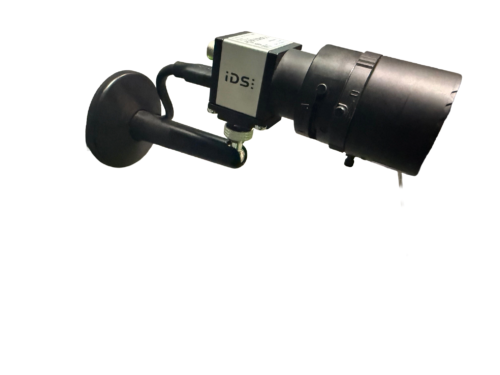
Within TPS on Home Complete and Commercial grade units you have the shot analysis feature. In this amazing practice area you can analyse you full swing in slow motion. You can also use the ai tools for 3D motion analysis if you have two cameras calibrated correctly. To achieve this you can choose from either Trackman cameras, IDS cameras or iPhone using the trackman camera app. We have all three options in our Oxfordshire showroom. The IDS cameras certainly have the best flexibility and clarity but do come at a price point. If you’re unsure we recommend we cable for the cameras at 1st fix, but you start with your iPhone as the camera app is free. If you use the feature a lot, its then easy to upgrade to fixed cameras at a later stage.
Flooring – flush or not?
Flooring is an element that often gets overlooked but is highly important. Your overall floor design will come down to budget and preference. You could opt for a simple golf mat but don’t make the mistake of having it on top of Astro turf. Believe me, this will slide around unless its in a rubber base. If you’re having a trackman io simulator installed then we like to fit the turf to the room. It gives a much more polished look. Hitting turf we opt for tee turf and from Huxley golf. You can either have this as a strip or a bigger area so you’re standing on the same material that you’re hitting from. Either way is fine. Just remember your feet will be wearing down the turf that covers a much bigger area, so future maintenance costs need to be looked at as well as day one costs. Tee turf can take a normal tee and is normally around 25mm in height. Putting turf will vary but most are approx. 15mm. This means a 10mm underlay will be required if you’re looking for a flush finish. Black putting turf was the ‘in thing’ but green turf is certainly the go to at the moment.
Multi Touchscreen Monitors – are they needed?
The beauty of trackman TPS software as it has an ‘extended screen’ option. Most golf simulators are setup so a touchscreen is mirroring your impact screen. That means you can tap the screen to navigate through the software quickly and easily. We wouldn’t look past touchscreens, they make life so much easier. The second screen option is very interesting. The extended screen option within trackman can show additional data and is customisable to what you want to see. You can even split that screen in half i.e. you could have club data on the left side and the club video replay on the right side. We think this is really important when purchasing a trackman io system to get the most from it. The second monitor could be a tv if you want to save some money. You can select which data you want on the extended screen from a menu within the main software. There are just a couple of parameters that you would need to use a mouse to change, so this really is a personal preference to go touchscreen or not.
Conclusion – where do i start?
Ultimately there is a lot more to buying and installing a trackman io golf simulator. The components options and spec of those components can be endless. What is important is getting it right first time, to your spec and budget. Here at Golf Tech Systems we work with your budget and expectations. We allocate higher budget in the components that are important to you, and bring it down in the areas that are either not as important or not required. We offer full installation, DIY with cad drawings or a hybrid of the two. Whatever position you are in, Golf Tech Systems can make that dream a reality.
Related posts

Popular products
-
 Polyester Acoustic Tile 400
£90.00 Inc VAT
Polyester Acoustic Tile 400
£90.00 Inc VAT
-
 Polyester Acoustic Tile 800
£160.00 Inc VAT
Polyester Acoustic Tile 800
£160.00 Inc VAT
-
 Trackman IDS Swing Analysis Camera
£1,790.00 Inc VAT
Trackman IDS Swing Analysis Camera
£1,790.00 Inc VAT
-
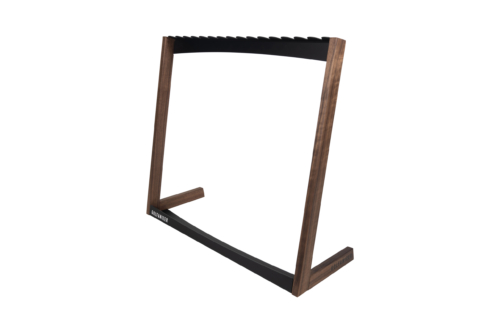 Golfanizer Premium Club Rack Stand
Price range: £459.00 through £551.00 Inc VAT
Golfanizer Premium Club Rack Stand
Price range: £459.00 through £551.00 Inc VAT